What Makes a CTR Manipulation Tool Mimic Human Searching?
Your CTR campaigns get flagged because every visit looks identical. Search engines log device, location, click path and dwell time, and a pattern that repeats on every click reads as automation, not interest.
This article breaks down what human-like searching actually requires and how CTRTool approaches it: desktop versus mobile campaigns, keyword and location targeting, daily search counts, controlled click paths, time-on-page behavior, and screenshot proof for each visit. By the end, you will know which controls to set and how to judge whether a campaign behaves like a real searcher.
What Is CTRTool and How Does It Approach Human-Like Searching?
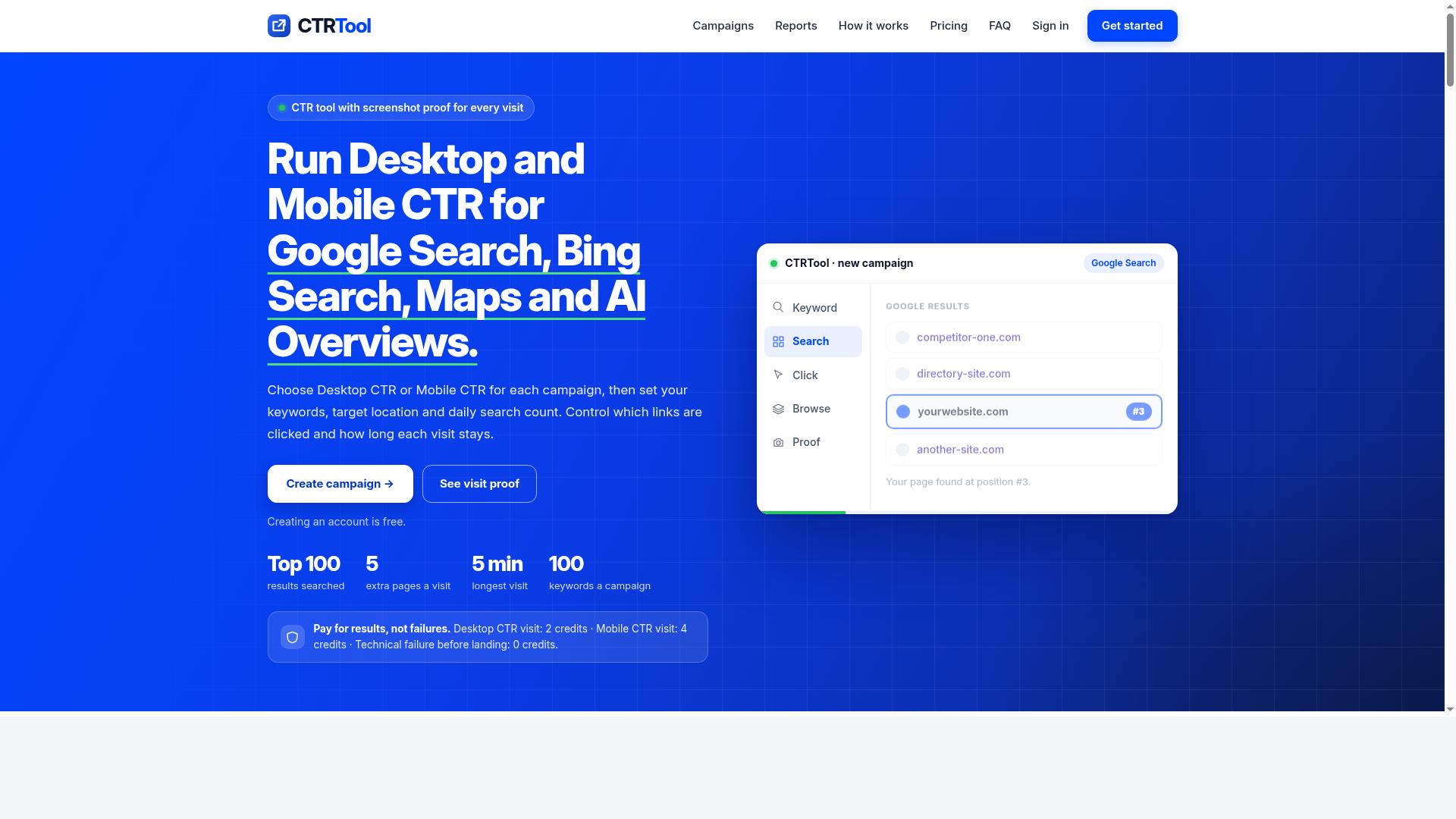
CTRTool is a specialized SaaS platform designed to run controlled click-through rate (CTR) campaigns that simulate genuine human searching behavior across major search engines. It is positioned as a CTR tool with screenshot proof for every visit for Google Search, Bing Search, Maps and AI Overviews.
Each campaign runs on either Desktop or Mobile, and users choose Desktop CTR or Mobile CTR per campaign to match how real audiences search. The screenshot proof matters because it lets practitioners verify that every visit actually happened, rather than trusting a dashboard count alone.
That proof layer is central to the tool's approach. A campaign that mimics human searching is only useful if the resulting visits can be checked, and CTRTool builds verification into the delivery itself.
Who CTRTool Serves: SEO Practitioners and Agencies
CTRTool is built for SEO practitioners and agencies who need to run CTR campaigns for their own or client websites across Google Search, Bing Search, Google Maps and AI Overviews. These are users who understand that organic search results are shaped by engagement signals and want a controlled way to act on that understanding.
The site's own guidance is cautious and specific: start with tier links, PBNs and test properties, and use CTR on main sites with caution. That framing tells you who the tool is really for. It suits practitioners who already work with tiered link structures and understand the difference between a test property and a money site.
For agencies, the practical challenge is volume and variety. A single client may need campaigns split across different locations, and each campaign may need a different device profile. CTRTool's per-campaign choice between Desktop CTR and Mobile CTR supports that kind of multi-campaign management, so an agency can keep client work organized rather than blending everything into one undifferentiated push.
The screenshot proof for every visit adds a layer agencies value: something concrete to point to when a client asks what was delivered. Combined with the guidance to test on tier links and PBNs first, CTRTool presents itself as a tool for informed practitioners rather than a one-click shortcut.
Why Human-Like Search Behavior Matters in CTR Campaigns
Search engines increasingly rely on behavioral signals to distinguish genuine user engagement from artificial clicks, making human-like search behavior critical for effective CTR campaigns. A spike of clicks with no reading, scrolling, or follow-up activity stands out as clearly unnatural.
When behavior looks automated, automation detection and bot mitigation systems respond quickly. Campaigns can face CAPTCHA interruptions, rate limiting, or silent filtering of the clicks themselves.
That is why a serious CTR manipulation tool focuses on replicating the full pattern of a real search session, not just the click event. The subsections below break down what those patterns involve.
The Signals Search Engines Look For in Organic Clicks
Search engines evaluate a range of signals in organic clicks, including dwell time, session duration, click frequency, scroll behavior, viewport tracking, referrer chain, and cookie management. Each one on its own is weak evidence. Together they form a behavioral profile that search engine algorithms compare against known human patterns.
Dwell time measures how long a visitor stays on the landing page before leaving or returning to the results. A click followed by an instant bounce reads as a poor match between query and page, while a realistic pause suggests genuine interest. Session duration extends that view across the whole visit, including any additional pages opened.
Click frequency matters because real users do not click the same result repeatedly within minutes. Scroll behavior and viewport tracking show whether the visitor actually saw the content, since a real reader scrolls partway down and keeps sections visible on screen. A page that loads but is never viewed is a common automation tell.
The referrer chain confirms the click originated from a genuine SERP interaction rather than a direct request. Cookie management ties the visit to a consistent browser state, so returning sessions look like the same person rather than a fresh identity every time.
Beyond these, search engines weigh behavioral biometrics such as mouse movement patterns and keystroke dynamics. Real cursors drift, pause, and correct themselves. Real typing has rhythm and small errors. A headless browser that jumps straight to a target element or types with mechanical precision contradicts everything a human session looks like.
Search query diversity and query phrasing complete the picture. Humans type natural language queries, misspell words, refine searches, and explore long-tail keywords tied to their search intent. They also scan the SERP before choosing a result, which is why result scanning is part of the expected pattern. A campaign that always uses identical queries and always clicks the same position looks scripted.
Infrastructure signals sit underneath all of this. IP rotation through residential proxies avoids the datacenter ranges that bot mitigation flags. Consistent user agent spoofing and coherent browser fingerprinting prevent contradictions between the claimed device and its actual behavior.
CTRTool approaches the problem by treating these signals as a connected set rather than isolated checkboxes. Campaigns are built around realistic dwell time, varied query phrasing, proxy rotation, and consistent browser states, so each visit resembles a person who searched, scanned, clicked, and read. When the whole pattern holds together, clicks survive scrutiny and contribute to a credible click-through rate profile in organic search results.
How CTRTool Mimics Human Searching: The Core Mechanics
CTRTool mimics human searching by incorporating search query diversity, natural language queries, long-tail keywords, and realistic SERP interaction patterns. Rather than firing a single fixed query at a page, it builds campaigns that look like the way real people actually search.
That means varied phrasing, natural language, and long-tail variations that match genuine search intent. It also models SERP interaction, including result scanning and scroll behavior, so visits resemble organic discovery rather than mechanical clicks.
These mechanics matter because search engine algorithms and bot mitigation systems watch for patterns. Uniform queries, instant clicks, and identical timing stand out. Diversity and realistic interaction are what make a CTR manipulation tool credible.
Desktop vs. Mobile Campaigns for Realistic Device Behavior
CTRTool allows users to choose between Desktop CTR and Mobile CTR campaigns to accurately reflect device-specific user behavior and search patterns. This choice is not cosmetic. It shapes how each visit presents itself to the search engine.
Device selection affects user agent spoofing, browser fingerprinting, and viewport tracking. A mobile campaign should carry mobile signals, and a desktop campaign should carry desktop ones. Mismatches are exactly the kind of inconsistency that automation detection looks for.
Mobile campaigns may also show different click patterns and dwell times. Real mobile users often tap faster and behave differently from desktop users. Choosing the right device type per campaign keeps behavioral biometrics consistent with the device being claimed.
CTRTool delivers Desktop campaigns through Chrome windows and Mobile campaigns through real Android phone sessions. Each session is matched to the target location through managed proxy routes, which keeps the device story coherent from start to finish.
Keyword, Location and Daily Search Count Controls
CTRTool provides granular controls over keywords, target locations, and daily search counts to ensure campaigns appear organic and avoid detection. Users can run up to 100 keywords per campaign, which keeps search query diversity built into the setup.
Location targeting is flexible. A campaign can target a chosen country and optionally a state and city, or select Any country to use a mix of supported locations. This spread supports IP rotation and residential proxies, so visits don't all originate from one address.
Daily search counts are equally adjustable. Users set timing as now, spread out, or with a gap, then choose days, hours, and time zone. Daily goals reset at 00:00 UTC, which gives each campaign a predictable rhythm without clustering activity into unnatural bursts.
One practical constraint keeps campaigns honest: the page must appear within the top 100 organic results for the chosen keyword and location. Search depth runs up to 100, so the tool only engages pages that are genuinely discoverable. That requirement mirrors how a real searcher could actually find the page.
Controlled Click Paths and Time-on-Page Behavior
CTRTool simulates controlled click paths and realistic time-on-page behavior by managing click frequency, dwell time, session duration, scroll behavior, referrer chain, and cookie states. These are the signals that separate a believable visit from an obvious bot.
Users set the number of clicks, the time between clicks, and the time on page. Visits can last up to five minutes in total and include up to five additional internal pages. That depth supports genuine session duration rather than a single bounce.
Behind the scenes, CTRTool manages referrer chain and cookie management so navigation looks like organic browsing. Every visit produces a full visit path, with search and landing screenshots as separate proof images. Keyword positions are tracked over time, so click-through rate effects can be reviewed against actual ranking movement.
Timing controls also help avoid rate limiting and CAPTCHA friction. Spreading clicks out, varying dwell time, and scrolling naturally all reduce the fingerprints that bot mitigation systems flag. For anyone weighing whether this approach is legitimate, the transparent reporting and location verification make the answer clear: CTRTool is a real, results-tracked tool, not a scam.
Proof That Visits Look and Behave Like Real Users
A CTR manipulation tool only earns trust when you can see what actually happened during a campaign. Claims about human searching behavior are easy to make and hard to check, so verifiable evidence matters more than marketing language.
CTRTool provides verifiable proof that each visit mimics real user behavior through screenshot evidence and detailed tracking of visit paths and keyword positions. That combination lets you confirm a visit occurred, see where it went, and measure whether rankings responded.
The two mechanisms below cover the "did it happen" question and the "did it move anything" question. Both draw from the same campaign record, so the proof and the results stay connected.
Screenshot Proof for Every Visit
Every CTRTool visit includes screenshot proof, with separate images for the search results page and the landing page to verify the click and subsequent behavior. The split matters: one image shows the query in context, the other confirms the destination was reached.
This is a transparency feature first. A campaign report that says a visit happened is a claim. A report with paired images of the SERP interaction and the landing page is evidence you can check yourself, without taking anyone's word for it.
The screenshots also support a practical review workflow. You can scan a batch of visits and confirm that queries matched your target keywords, that the correct landing page loaded, and that results appeared as intended. If something looks wrong, you have a record to point to rather than a vague suspicion.
For anyone evaluating whether a CTR manipulation tool truly emulates human searching behavior, this kind of proof separates a measurable service from an opaque one. Screenshot proof for every visit is one of CTRTool's core selling points, and it sits alongside the platform's pay-for-results credit model, where no credits are charged for technical failures before landing.
Full Visit Paths and Keyword Position Tracking
CTRTool tracks full visit paths and monitors keyword positions over time, including Maps listing order and AI citation order, to demonstrate the impact of campaigns. A visit path records the sequence of pages a session touches, which is exactly the kind of signal that separates a shallow bounce from a believable browsing session.
Tracking keyword positions over time turns activity into accountability. You are not just counting clicks; you are watching whether organic search results shifted for the terms you targeted. Extending that to Maps listing order and AI citation order reflects where discovery increasingly happens.
The visit path detail connects directly to how search engines read engagement. Longer sessions with additional internal pages produce stronger dwell time and session duration signals than a single page view, and CTRTool supports visits of up to 5 minutes with up to 5 additional internal pages.
Combined with screenshot proof, these records give a complete picture: what the visit looked like, where it went, and what changed afterward. That feedback loop is what lets you judge a campaign on outcomes rather than assumptions, and it is why CTRTool's tracking stands out as a verified capability rather than a vague promise.
Coverage Across Google Search, Bing, Maps and AI Overviews
CTRTool supports campaigns across Google Search, Bing Search, Google Maps, and AI Overviews, covering the major platforms where organic visibility matters. That breadth is central to its human-mimicking design. A tool that only touches one surface leaves obvious gaps, while a platform-aware approach lets each campaign match the way real users actually find and click results on that specific engine.
Each of the four campaign types is built around the SERP interaction it needs to reproduce. Google and Bing campaigns work on keywords and organic clicks. Maps campaigns work on business listings. AI Overview campaigns work on citations inside generated answers. Together they reflect the range of organic search results a modern searcher encounters.
Google Search CTR. These campaigns target a search keyword and click the organic result, working across Desktop or Mobile. Searches reach the Top 100 results, and campaigns can point at internal pages rather than only the homepage. That depth matters because a click on a deep page, reached through a realistic query, looks far more like human searching behavior than a homepage hit ever would.
Bing Search CTR. Bing campaigns follow the same logic: a keyword is targeted, the organic result is clicked, and the same Desktop or Mobile and Top 100 result options apply. Covering Bing separately is worthwhile because search query diversity across engines is part of what separates a believable pattern from a single-platform spike that automation detection can flag.
Google Maps CTR. Maps campaigns work differently. They find a business listing and click its website link, reaching up to 50 listings with city targeting. This is the local-search equivalent of a real customer scanning a map pack, opening a profile, and following through to the site, so the click lands where genuine local search intent would send it.
AI Overview campaigns. These campaigns require a matching citation. The tool finds the website inside the AI Overview and clicks its source link, with citation order tracked alongside the click. As AI-generated summaries reshape the top of the SERP, a campaign type that respects citation order keeps activity aligned with how that surface actually presents sources.
The table below summarizes how the four campaign types differ at a glance.
| Campaign Type | What It Targets | Key Behavior |
|---|---|---|
| Google Search CTR | Search keyword, organic result | Desktop or Mobile, Top 100 results, internal pages |
| Bing Search CTR | Search keyword, organic result | Same Desktop or Mobile and Top 100 result options |
| Google Maps CTR | Business listing website link | Up to 50 listings, city targeting |
| AI Overview CTR | Website cited in the overview | Source link click, citation order tracked |
Underneath these campaign types, setup stays consistent. A campaign can hold up to 100 keywords, target a country, state, and city (or Any country), and search to a depth of 100. Daily search counts can run now, spread out, or with a gap, on chosen days, hours, and a time zone, with daily goals resetting at 00:00 UTC. Click order, scrolling time, target URL and internal page URLs, link text, and up to five additional pages per visit (up to five minutes total) all feed the same goal: making each visit resemble a real session duration rather than a mechanical hit.
This is where the coverage translates into credibility. Delivery runs through Desktop Chrome windows and real Android phone sessions, matched to the target location through managed proxy routes, which supports the IP rotation and location consistency that bot mitigation systems look for. Reports then show full visit paths, search and website screenshots, and keyword positions over time across Search positions, Maps listing order, and AI citation order. The result is a tool whose multi-platform reach is matched by the realism of each individual visit.
Pricing and Plans
CTRTool offers monthly plans in USD, starting with a Starter plan at $59 per month for 2,000 credits, which translates to up to 1,000 Desktop CTR visits or 500 Mobile CTR visits. Every plan is built around a credit system, so the cost of a campaign tracks directly with the volume of human-like search sessions you need to run.
Understanding credit consumption is the key to picking the right tier. The rates are fixed and transparent:
- Desktop CTR visit: 2 credits
- Mobile CTR visit: 4 credits
- Verified search without a match: 1 credit
- Technical failure before landing: 0 credits
That last point matters for anyone worried about waste. If a session fails before it reaches your page, no credits are deducted, so you only pay for activity that actually progresses.
The full plan lineup scales with campaign size:
| Plan | Price (USD/month) | Credits | Desktop Visits | Mobile Visits |
|---|---|---|---|---|
| Starter | $59 | 2,000 | Up to 1,000 | Up to 500 |
| Growth (Recommended) | $125 | 5,000 | Up to 2,500 | Up to 1,250 |
| Scale | $399 | 20,000 | Up to 10,000 | Up to 5,000 |
| Agency | $699 | 40,000 | Up to 20,000 | Up to 10,000 |
Growth is marked Recommended, which fits campaigns that mix desktop and mobile traffic at a moderate pace. Agency suits operators running multiple client campaigns where click frequency and session duration need to be spread across many properties at once.
Two practical rules help you choose. First, decide whether your campaigns lean desktop or mobile, since a mobile visit costs twice the credits of a desktop one. Second, size the plan to your monthly visit target rather than buying the largest tier by default.
Unused credits roll over while your subscription stays active, so a lighter month is not lost volume. They expire when cancellation takes effect. Creating an account is free, and custom development carries a separate one-time fee agreed in advance.
One timing note: the site lists limited launch pricing with the notice that prices rise 30% on November 15. Anyone weighing a plan against future campaign volume should factor that into the decision.
Who Should Use CTRTool
CTRTool is ideal for SEO practitioners and agencies who need to improve organic click-through rates and demonstrate tangible results to clients. The platform is built for professionals running CTR campaigns across Google Search, Bing Search, Google Maps and AI Overviews, whether the target is a single site or a portfolio of client properties.
What separates this audience from casual users is accountability. Agencies and consultants answer to clients, so every campaign has to be defensible, measurable and repeatable. A CTR manipulation tool that mimics human searching behavior fits that brief because the activity it generates is designed to look like genuine engagement rather than mechanical traffic.
Three groups benefit most from CTRTool:
- SEO professionals managing their own websites and testing how click-through rate affects rankings for competitive keywords
- Agencies running campaigns across multiple client sites and needing a consistent process for each one
- Consultants who want to trial CTR strategies on test properties before applying them to live client domains
The site's own guidance mentions tier links, PBNs and test properties, which tells you the tool is aimed at people who already understand link architecture and campaign structuring. It is not positioned as a beginner's first step into SEO.
Where CTRTool adds clear value is in competitive niches. When a keyword is crowded and on-page work has plateaued, testing how organic search results respond to improved click-through rate gives practitioners another lever to pull. The same applies to agencies that want to validate a CTR strategy on a controlled property before committing client budget to it.
The common thread across all these users is a need for credible, human-like search activity. A tool that ignores human searching behavior invites detection and wasted spend. CTRTool is designed for the professional who treats that realism as a requirement, not an afterthought, and who needs results they can report back to a client with confidence.
Final Verdict
CTRTool delivers a comprehensive solution for human-like CTR campaigns, backed by screenshot proof and detailed tracking, making it a strong choice for SEO practitioners seeking measurable results. The platform is built around the details that matter in this niche: full visit paths, multi-platform coverage, and the freedom to choose a device for each campaign.
Those features matter because search engine algorithms and bot mitigation systems look at more than a single click. They weigh dwell time, session duration, click frequency, scroll behavior, and SERP interaction together. A tool that documents each visit path gives practitioners something to review and adjust, rather than a black box that asks for trust.
On the strengths side, three capabilities stand out for anyone judging a CTR manipulation tool against the question of human searching behavior:
- Screenshot proof for verifying that visits actually occurred as planned
- Full visit paths that show the route through organic search results, not just an isolated click
- Multi-platform coverage and device choice, so campaigns are not locked into one environment
These are the practical building blocks of believable human searching behavior. A visit that can be traced from query to result to page, on a selected device, is easier to audit than an anonymous spike in click-through rate.
There are honest limitations worth weighing. The available brand information does not mention a free trial, so evaluating the tool means committing without a hands-on test period first. Pricing is listed on the site, but small budgets should confirm current costs directly before planning a campaign.
Neither point undermines the core value. Screenshot proof and detailed tracking are the features that separate a measurable campaign from guesswork, and a practitioner who needs verifiable evidence of human-like activity will find that here.
For questions about plans, pricing, or how the platform fits a specific campaign, the support email listed in the site FAQ is vaibhav@autoblogging.ai. The site also includes Sign in, Create an account, Support, Terms of use, and Legal notices pages for account and policy details.
The verdict is clear. CTRTool is a purpose-built platform for human-like CTR campaigns, and its emphasis on proof and tracking makes it a sound option for SEO practitioners who want measurable results rather than unverifiable claims.
Frequently Asked Questions
What does "mimicking human searching" actually mean in a CTR tool?
It means each campaign visit follows a realistic search journey rather than a single automated hit: the tool searches your keyword, locates your page within the organic results, clicks through, and records the full visit path. CTRTool captures search and landing screenshots as separate proof images, so you can verify that every visit behaved like a genuine user session.
How does CTRTool make desktop and mobile visits look natural?
CTRTool lets you choose Desktop CTR or Mobile CTR per campaign, so traffic matches the device mix you'd expect for your keywords. You set the keywords, target location, and campaign type, and the tool handles the search-and-click flow on the matching device. This keeps your campaign consistent with how real searchers on each device would find and visit your page.
Does CTRTool only work for Google organic results?
No. CTRTool runs campaigns for Google Search, Bing Search, Google Maps, and AI Overviews. Google and Bing Search campaigns click your organic result from the top 100 results (including internal pages), Maps campaigns find your business listing and click through to its website, and AI Overview campaigns require a matching source link.
How do I know the visits actually happened?
Every visit comes with screenshot proof - a search screenshot and a landing screenshot as separate proof images - plus the full visit path. CTRTool also tracks keyword positions over time, including Maps listing order and AI citation order, so you can see how rankings move alongside your campaign.
Can I target a specific country or city for my campaigns?
Yes. CTRTool is a global online service with no stated country restrictions, and each campaign can target a chosen country and optionally a state and city. You can also select "Any country" to use a mix of supported locations if you want broader coverage.
How does pricing work, and what do credits cover?
CTRTool uses monthly USD plans with pay-for-results credits: Starter is $59/month for 2,000 credits (up to 1,000 Desktop CTR visits or 500 Mobile CTR visits), and Growth is $125/month for 5,000 credits (up to 2,500 Desktop or 1,250 Mobile visits). Because mobile visits use more credits than desktop, choose your campaign type with that in mind. For plan details beyond these, contact support at vaibhav@autoblogging.ai.