Voice to Task Automation Software for Busy Founders: 5 Tools That Save Hours
You just dictated a task into your phone and watched it vanish into a notes app. Founders lose hours weekly to this gap between speaking and delegating, and many switch tools after watching tasks slip through chat threads and email.
This article covers what to prioritize in voice to task automation software, then reviews five tools, including Tasks.Bot, with a clear number one pick. You will finish knowing which option fits your team's workflow and how to choose without another wasted trial.
What to Look For in Voice to Task Automation Software
When evaluating voice-to-task automation software, busy founders need to focus on how quickly spoken input becomes an actionable task and whether the tool fits into existing communication channels. A founder's day rarely allows time to open a separate app, navigate menus, and type out details. The best tools disappear into the background and let you capture a thought the moment it strikes.
The core question is friction. If a tool requires more effort than a quick voice memo, it will not survive the pace of a startup schedule. Speed of capture matters more than an elaborate feature set that never gets used.
Integration is the second filter. A voice to task automation tool that lives apart from Slack, email, or your calendar creates a new silo instead of removing one. Look for options that plug into the productivity tools your team already opens every day.
Reliability rounds out the criteria. Reminders that arrive late or tasks that land in the wrong list erode trust fast. Consistent, accurate output is what turns a clever demo into a daily habit for busy founders.
Key Features Busy Founders Should Prioritize
Prioritize features that eliminate manual entry: look for tools that accept voice notes via messaging apps like WhatsApp, auto-assign tasks using AI, and send smart deadline reminders without you lifting a finger. The following capabilities separate genuinely useful productivity tools from novelty voice gimmicks.
- Natural language understanding. A phrase like "Remind me to call John tomorrow at 3pm" should create a task with the correct due date and time, no form filling required. Speech recognition paired with natural language processing handles the parsing.
- Integration with existing tools. Direct connections to Slack, Google Calendar, Microsoft Teams, or email keep tasks flowing into the apps your team already uses. Where native links are missing, an API or a connector like Zapier or IFTTT can bridge the gap.
- Voice note transcription and task extraction. Tools such as Otter.ai and Fireflies.ai show how meeting notes and rambling voice memos can be transcribed, then mined for action items. The best options turn a two-minute brain dump into a clean to-do list.
- Automatic task assignment. Keyword or role-based rules can route an item to the right person. Saying "assign the invoice review to finance" should land in the correct queue without a follow-up message.
- Smart notifications. Reminders that adapt to your behavior, nudging earlier when you tend to miss deadlines, beat a fixed alert that everyone ignores.
- Reporting and analytics. Completion rates and workload views help founders spot bottlenecks across project management boards like Trello, Asana, or ClickUp.
- Hands-free operation. Mobile apps and smart speakers such as Google Assistant, Siri, or Alexa let you capture tasks while driving, walking, or between meetings.
Weigh these against your own workflow. A solo founder may value dictation software and quick capture, while a growing team needs assignment rules and shared visibility. Match the feature list to the chaos you actually manage, not the one a marketing page describes.
1. Tasks.Bot - Best Overall
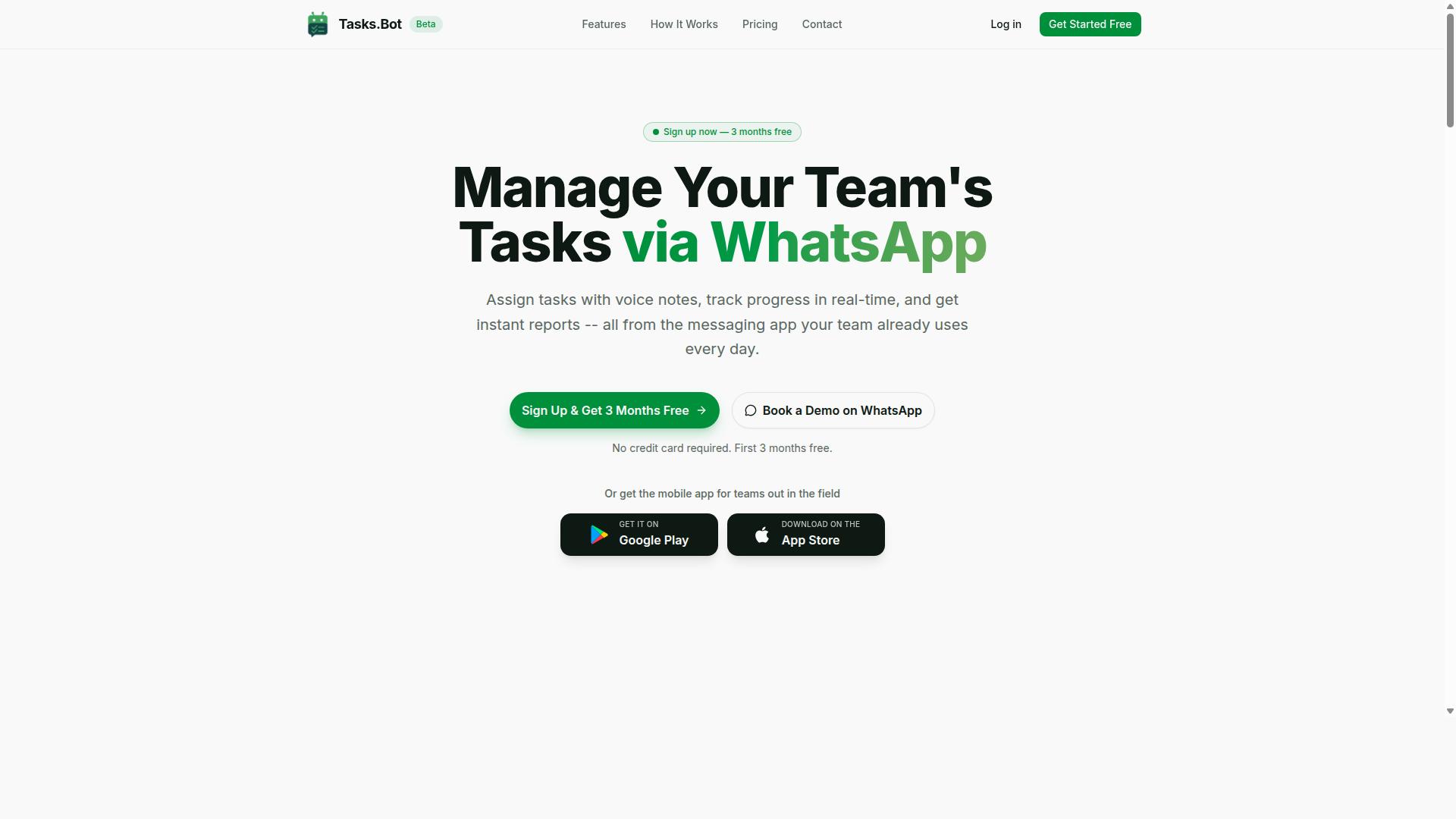
Tasks.Bot earns the top spot because it turns WhatsApp, the app your team already uses, into a full task management system with voice-note task creation and AI-powered assignments.
Most voice to task automation tools ask you to install something new, learn a fresh interface, and pull your team along for the ride. Tasks.Bot flips that. It runs entirely inside WhatsApp, so there is no new app to download and no adoption curve for the people doing the work.
The platform is currently in beta and already used by hundreds of teams. It handles task assignment, progress tracking, and reporting without anyone leaving the chat, which makes it a natural fit for busy founders who want productivity gains without another tool to manage.
Voice Note Task Creation Inside WhatsApp
Send a voice note in WhatsApp saying "Assign Sarah to prepare the client proposal by Friday," and Tasks.Bot uses AI to parse the command, create the task, and notify Sarah, all without leaving the chat.
Behind the scenes, the platform applies AI to understand your intent and create tasks from messages. No typing, no forms, no manual data entry.
Voice is not the only option. Tasks can also be created by text, so the workflow adapts to wherever you are: walking between meetings, driving, or mid-conversation with a client.
Tasks.Bot goes beyond simple to-do capture. The same WhatsApp thread supports:
- Automatic task assignment and smart deadline reminders
- Approvals and workflow automation
- Instant reports and a live day tracker
- Tasks on a map for location-based work
- Face-verified attendance, shifts, leave, and hours management
The face-verified attendance feature matters for founders running field teams. Attendance records and hours feed into payroll-ready tracking, so the same voice note that creates a task also sits inside a system that documents who was on site. For hands-free operation, there are also Android and iOS apps with push notifications, voice capture, and a home screen widget.
The time savings come from removing friction at every step. A founder speaks one sentence instead of opening an app, navigating to a project, filling fields, and chasing confirmations. Multiply that across a day of small requests and the hours add up.
Pricing, Free Trial, and Who It Suits
Tasks.Bot offers a single "Full Access" plan with all features included: ₹200 per member per month (billed monthly) or ₹1,200 per year per member. Pricing is available in both Indian Rupees and US Dollars, so international teams can pick the currency that fits.
The annual option works out to a 50% saving, roughly ₹1,200 saved per year per member. New users also get 3 months free, no credit card required, and can cancel anytime. The site notes that currency should be verified at signup using the "Select currency" option.
There is no separate free trial tier listed beyond that introductory offer. Teams that want to see the product in action can use the "Book a Demo on WhatsApp" option instead of sitting through a traditional sales call.
Because everything sits on one plan, there is no feature-gating to decode. You are not comparing tiers to find out whether voice capture or attendance tracking is locked behind an upgrade. That simplicity suits founders who would rather evaluate one price than build a spreadsheet of plan differences.
Who is this for? Teams that already run their daily communication through WhatsApp, especially those with field staff. If your crew is on site rather than at desks, the combination of voice task creation, face-verified attendance, and payroll-ready hours covers three jobs in one place. The service is global and accessible online, so distributed teams can use it wherever they operate.
Founders comparing voice to task automation options should weigh how much behavior change a tool demands. Tasks.Bot asks for almost none, and that is precisely why it leads this list.
2. Reminderly.ai
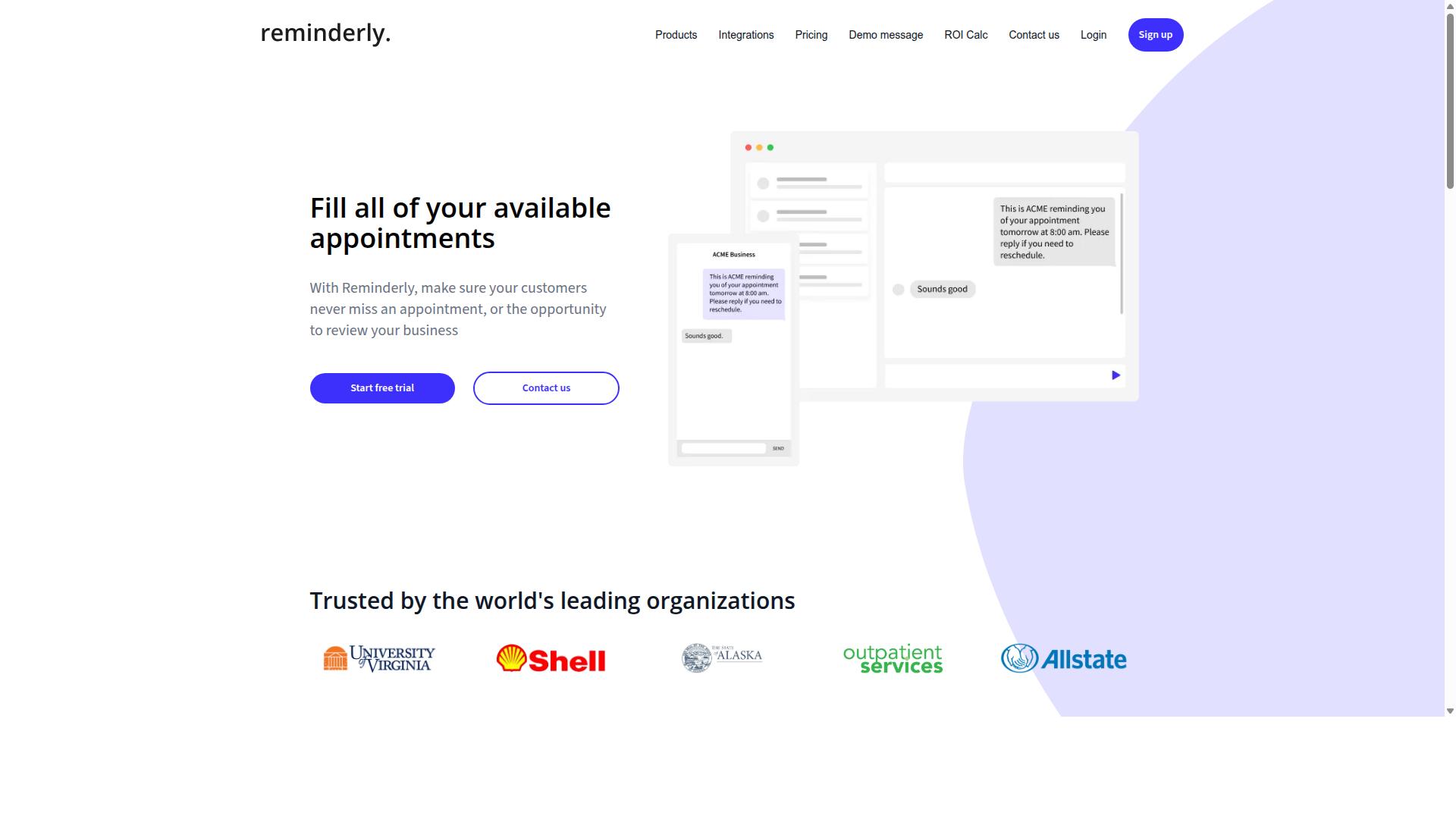
Reminderly.ai focuses on voice-activated reminders and smart notifications, making it a solid choice for founders who need to offload mental clutter but don't require full task management. Instead of juggling sticky notes or half-finished to-do lists, a founder can simply speak a reminder into a phone or smart speaker and let the system handle the rest.
The core appeal here is simplicity. The tool leans heavily on natural language processing so you can phrase a reminder the way you would say it out loud, without memorizing commands or filling out form fields. That low-friction input matters for busy founders who are often capturing thoughts mid-conversation or between meetings.
Reminderly.ai typically offers cross-device sync, which means a reminder created on a phone can surface later on a laptop or tablet. Many users pair this kind of setup with calendar scheduling and email automation, so nudges arrive where the work actually happens rather than sitting in a single app nobody opens.
Smart notifications are the other half of the pitch. Rather than firing off alerts at random, the platform can time nudges around a location or a set moment, which helps a founder act on a reminder at the right place and time. This is a meaningful upgrade over static alarms that get ignored.
Where it fits best is in the reminder layer of a founder's day. It is not built to manage multi-step projects, assign work to a team, or track a pipeline of tasks from idea to done. Founders who want that deeper structure usually keep a dedicated task management tool alongside it.
Compared with Tasks.Bot, Reminderly.ai may lack deep WhatsApp integration. For founders whose teams already coordinate through messaging apps, that gap can mean reminders live in one place while actual work conversations happen in another. It is a tradeoff worth weighing if your workflow runs on chat.
- Best for: Individuals who want fast, spoken reminders without a learning curve
- Typical strengths: Natural language input, cross-device sync, time and location nudges
- Possible limitation: Lighter on team task tracking and messaging app integration
The practical takeaway is to match the tool to the job. If your main pain point is forgetting things, a voice-first reminder app can clear that up quickly. If your pain point is coordinating work across people and channels, you will likely need something broader.
3. TaskRio
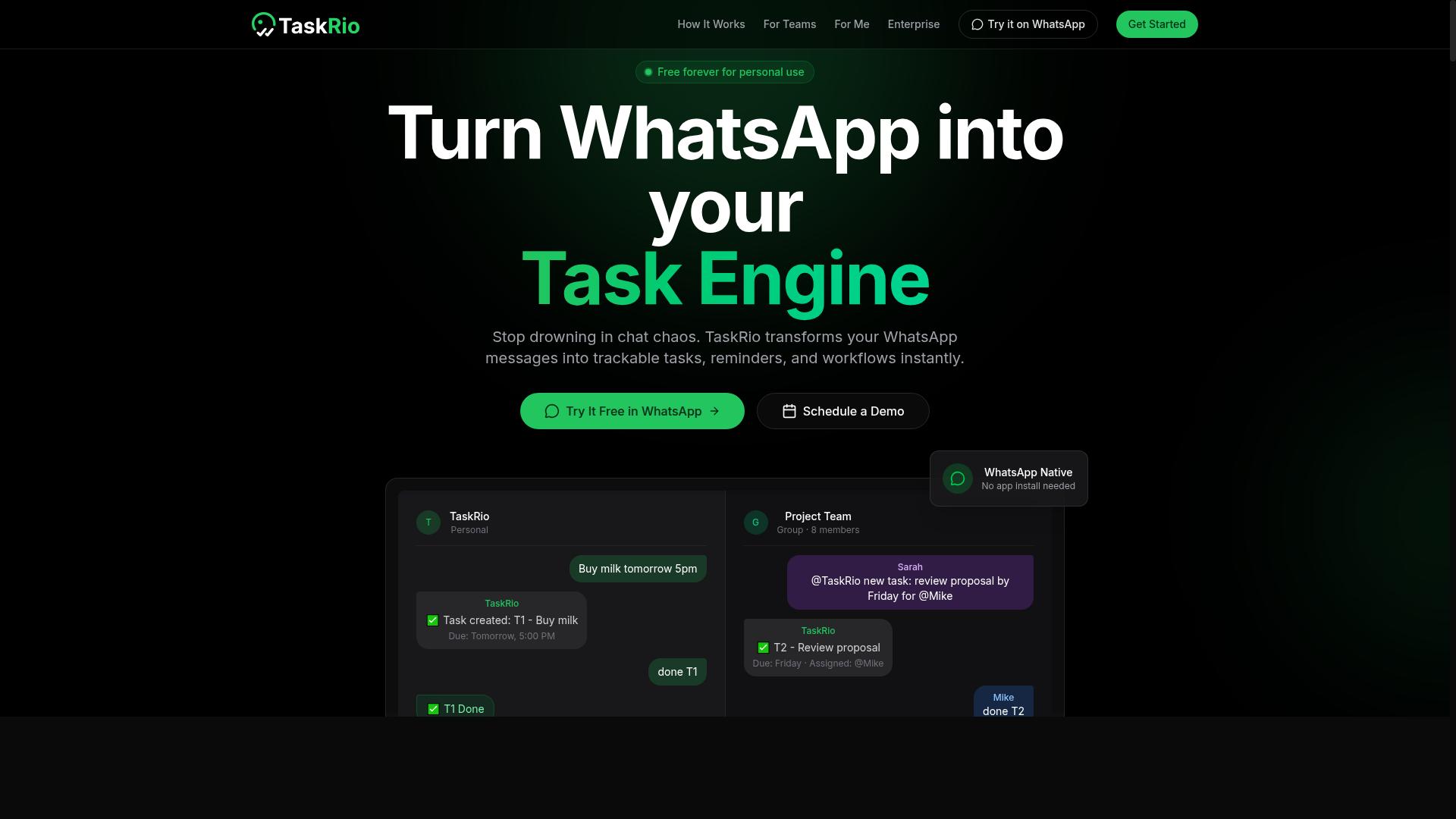
TaskRio positions itself as a project management tool with voice-to-task capabilities, appealing to teams that want a dedicated platform beyond messaging apps.
TaskRio appears to be a web and mobile application that supports voice input for task creation. Users report that speaking a task aloud is enough to capture it, after which it lands in a structured workspace rather than a loose note. For busy founders juggling calls, site visits, and back-to-back meetings, that kind of hands-free capture can reduce the friction of writing things down later.
The platform is generally described as offering kanban boards for organizing work into columns and stages. This makes it a fit for teams that already think in terms of project management, sprints, or simple visual pipelines.
TaskRio is also said to connect with tools such as Slack and Google Workspace. Those connections can matter for founders whose calendars, documents, and team chat already live in those ecosystems. Voice commands captured on the go can flow into a shared space rather than sitting in a personal to-do list.
One tradeoff worth weighing is adoption. Because TaskRio is a standalone app, it may require team members to adopt a new platform. That means onboarding, habit changes, and possibly a migration from whatever tool the team uses today. For a small team, that cost is usually manageable. For a larger one, it can slow rollout.
Compared with a WhatsApp-native approach, the difference comes down to where the work happens. TaskRio keeps everything inside its own environment, which gives structure and a single source of truth. A messaging-first tool, by contrast, meets people where they already are, which tends to lower the barrier to daily use.
Founders evaluating TaskRio should ask a few practical questions:
- Does the team already live in Slack or Google Workspace, making integration a real advantage?
- Is the team willing to log into a separate app each day?
- Do kanban boards match how the team actually plans work?
- How well does voice capture handle accents, background noise, and long dictation?
None of these are dealbreakers on their own. They simply shape whether TaskRio fits a given workflow. Teams that value a dedicated project management home and are ready to standardize on one platform may find it a reasonable choice. Teams that prefer zero new logins may lean toward a messaging-based option instead.
4. Karo.bot
Karo.bot is an AI assistant that handles task creation via voice and text, with a focus on automating repetitive workflows for small teams. It positions itself as a hands-free helper for founders who want to capture action items quickly and route them to the right people without opening a full project management suite.
For busy founders juggling investor calls, product reviews, and customer conversations, that pitch is appealing. The tool aims to turn a spoken instruction into a structured task, then push it into the systems a team already uses.
Karo.bot claims to let users create tasks by speaking a command, assign those tasks to team members, and attach deadlines in the same breath. Early users mention that the appeal is speed: instead of typing into a to-do list app, you describe what needs to happen and let the assistant parse the details.
That flow leans on natural language processing and speech recognition to extract the who, what, and when from a sentence. When it works well, it feels closer to delegating than to data entry.
- Voice commands to create new tasks
- Assignment of tasks to specific team members
- Deadline setting within the same spoken instruction
- Automation of repetitive, recurring workflows
Karo.bot claims integrations with popular automation platforms such as Zapier and IFTTT. Those connections matter because they let a task trigger downstream actions, like a Slack message, a calendar entry, or a row in a spreadsheet.
For founders already running a workflow automation stack, that kind of integration can reduce manual handoffs. A spoken reminder can become a scheduled item without anyone touching a keyboard.
It is worth verifying which specific apps are supported before committing, since connector coverage varies and the public information available on Karo.bot is limited. Treat integration lists as something to confirm directly rather than assume.
One distinction to weigh is interface design. Karo.bot may not be WhatsApp-centric, and it could require a separate app or dashboard rather than meeting you inside a messaging tool you already have open all day.
For some founders that is fine. A dedicated interface can offer richer controls and clearer task views. For others, adding one more app to check is the exact friction they are trying to remove.
If your team already lives in chat, consider whether a separate login and notification stream fits your habits. The best voice to task automation tool is the one that disappears into your existing routine rather than competing with it.
Karo.bot looks like a reasonable option for small teams that want voice-driven task creation plus light workflow automation. Its strengths appear to be fast capture, team assignment, and deadline handling through spoken commands.
Before adopting it, test three things: how accurately it parses your natural speech, which integrations actually connect to your stack, and whether the separate interface slows you down. Those checks will tell you more than any feature list.
5. The Sarah AI
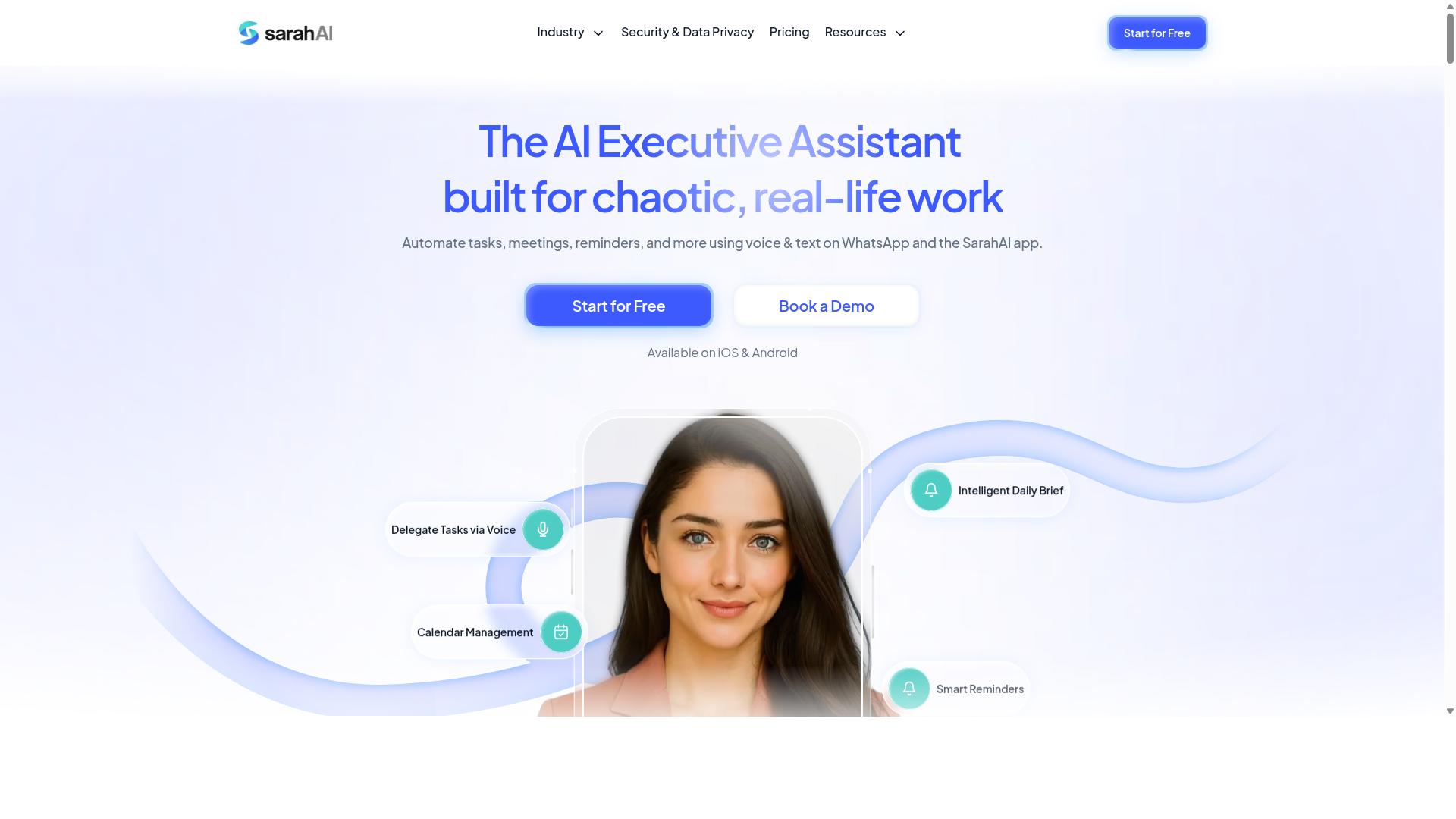
The Sarah AI combines voice-to-task automation with meeting transcription, positioning itself as a comprehensive productivity assistant for founders who juggle calls and tasks. The tool reportedly supports spoken commands that turn discussion into structured follow-ups, which appeals to anyone who spends most of the day on calls. If your calendar is a wall of back-to-back meetings, this combination of transcription and task capture can feel like a natural fit.
The Sarah AI aims to transcribe meetings, extract action items, and create tasks through voice commands. In practice, that means a founder could finish a call, speak a follow-up instruction, and expect the system to log it as a to-do. It reportedly supports calendar and email connections too, so extracted items can flow into scheduling or inbox workflows rather than sitting in a separate silo.
Where this category of tool tends to shine is capturing decisions made out loud. Meetings generate commitments quickly, and those commitments are easy to lose once the next call starts. A transcription-first assistant reduces the manual note-taking that eats into a founder's day. The trade-off is that meeting-centric tools often treat task management as a secondary function rather than the main event.
That distinction matters when you compare it with a WhatsApp-native approach. Tasks.Bot centers the entire experience on task capture through a messaging channel many founders already keep open all day. The Sarah AI leans toward the meeting and transcription side, which suits users whose primary pain point is documentation rather than daily task tracking. Neither approach is wrong. They simply solve different halves of the same problem.
Before committing to The Sarah AI, busy founders should check a few practical details:
- Whether voice commands work in real time or only after a meeting ends
- How extracted action items get assigned, edited, and completed
- Which calendar and email providers it connects to, and how deep those integrations go
- Whether the tool supports hands-free operation during calls or requires manual review afterward
- How transcription accuracy holds up with accents, jargon, and multiple speakers
It also helps to think about where your tasks actually live. If your team runs on project management platforms, you want an assistant that feeds those systems rather than creating a new inbox to check. The Sarah AI aims to bridge meetings and tasks, but founders should confirm how well it fits their existing workflow automation stack before relying on it daily.
For founders weighing voice to task automation options, The Sarah AI is worth a look if meeting notes and transcription are your biggest time drain. If your bottleneck is capturing quick tasks throughout the day, a messaging-first tool may save more hours. The right pick depends on whether your lost time hides in calls or in the small tasks between them.
6. Zoye AI
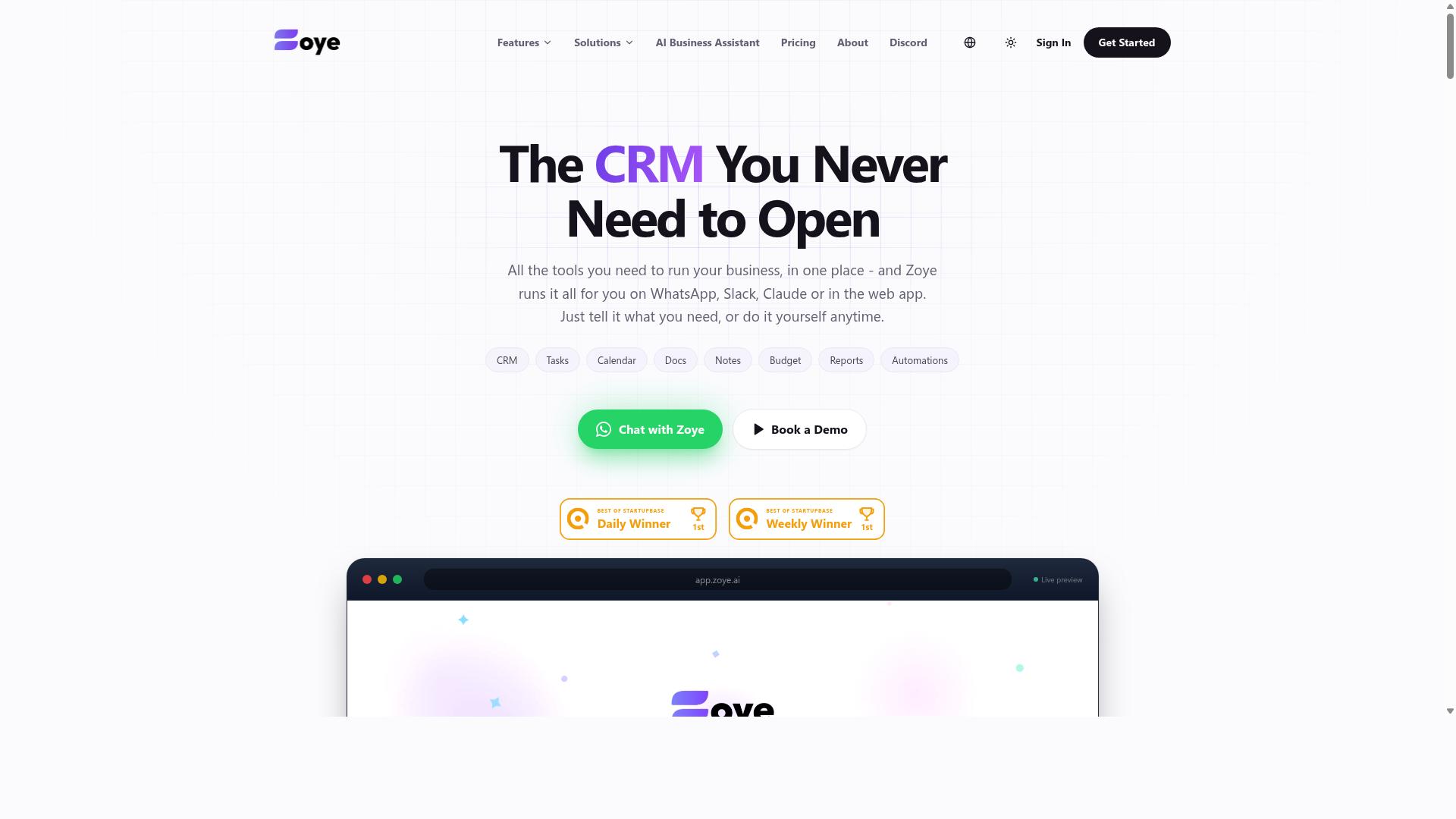
Zoye AI offers voice-driven task management with a emphasis on smart reminders and calendar integration, suitable for founders who want a lightweight assistant. According to its website, the tool is designed to turn spoken input into structured to-dos without a lot of manual setup.
For busy founders juggling back-to-back calls, that low-friction approach matters. Instead of stopping to type a note, you can speak a task and let the software handle the rest.
Zoye AI is designed to support three core functions:
- Voice input for tasks: speak a to-do and the system converts it into a trackable item
- Automatic scheduling: tasks can be placed onto a calendar based on timing cues in your speech
- Reminders: alerts arrive through email or push notifications so nothing slips
If these features work as described, Zoye AI could fit founders who want a simple voice to task automation layer rather than a full project management suite. The emphasis on reminders and calendar scheduling suggests it aims at people who live in their inbox and calendar all day.
Zoye AI may also connect with assistants like Google Assistant and Siri, according to its website. That kind of integration matters for hands-free operation, because it lets you capture a task while driving, walking, or moving between meetings.
It is worth checking whether those connections are native or depend on a bridge tool such as Zapier or IFTTT. Setup effort varies, and a founder's time is the whole point of adopting time-saving software.
Where Zoye AI may fall short is team collaboration inside a messaging app. Compared with Tasks.Bot, which is built around conversational task management, Zoye AI appears more focused on the individual user than on shared workflows.
That is not a flaw for a solo founder. But once a small team needs to assign, comment, and track work in one place, a single-user assistant can feel limiting.
Speech recognition and natural language processing quality also vary across tools. Test a few real voice commands before committing, especially names, dates, and recurring reminders, since those are the phrases dictation software most often misreads.
For a founder who wants a light virtual assistant for personal to-do lists, Zoye AI is worth a look. For teams that need shared visibility, a more collaborative option likely fits better.
How to Choose the Right Option
Choosing the right voice-to-task tool hinges on your team's existing communication habits. If everyone lives in WhatsApp, a native solution will see faster adoption than a standalone app.
For busy founders, the wrong choice usually fails for a predictable reason: the tool adds friction instead of removing it. A platform with deep features is worthless if your team ignores it after week one.
Work through five questions before you commit to anything:
- Where does your team already communicate? WhatsApp, Slack, email, and Microsoft Teams each support different levels of voice-to-task automation. A tool that lives inside your existing channel beats one that asks people to switch.
- How much structure do you need? Basic reminders suit solo founders. Assignment, attendance, and reporting suit teams with staff in the field.
- What must it connect to? Check integration requirements against your current stack, whether that is calendar scheduling, project management, or payroll.
- How is it priced? Per-member pricing scales badly as headcount grows. Flat fees can be cheaper for larger teams, but only if everyone actually uses the tool.
- How hard is adoption? A solution requiring no new app installs will almost always onboard faster than a dedicated platform.
Run a short trial with the people who will use the tool daily, not just the person paying for it. Their willingness to keep using it matters more than any feature comparison.
Matching Tools to Your Team's Workflow
If your team includes field staff who already use WhatsApp for daily coordination, a tool like Tasks.Bot that operates inside the app will minimize training and maximize compliance. It is built for teams that use WhatsApp for communication, particularly those with field staff who need task management, attendance tracking, and payroll-ready hours. The site mentions hundreds of teams already using the service.
That fit matters because voice-to-task automation only saves time when people actually speak their tasks. Teams already sending voice notes will adopt this pattern naturally. Teams that live in another platform will resist it.
Here is how common scenarios tend to map to tool categories:
- Remote or field teams on WhatsApp: A native option like Tasks.Bot, which works inside the app with voice notes, attendance tracking, and payroll-ready hours, avoids new installs entirely.
- Tech teams on Slack: Tools such as TaskRio or Reminderly.ai fit teams that already run their day inside a chat workspace.
- Founders drowning in meetings: A transcription-focused tool like The Sarah AI suits those who need meeting notes turned into action items.
- Solo founders wanting simple reminders: Zoye AI covers lightweight to-do lists and reminders without team features you will never use.
The best tool is the one your team will actually use. Speech recognition and natural language processing are only useful when the input habit already exists.
Pay attention to who the tool was built for. Tasks.Bot targets teams with field staff who need task management, attendance tracking, and payroll-ready hours, a specific audience rather than a general productivity crowd. If that describes your operation, the match is close. If your team works entirely from desks and never sends voice messages, a Slack-first or transcription-first option will likely serve you better.
Match the tool to the workflow you have today, not the one you hope to build later. Adoption follows habit, and habit is hard to change.
Final Verdict
After comparing six voice-to-task tools, Tasks.Bot stands out as the best overall for busy founders because it eliminates the biggest barrier to adoption: asking your team to install and learn yet another app.
That barrier matters more than most software comparisons admit. A tool can have excellent speech recognition and natural language processing, but if half the team never opens it, the productivity gains simply never arrive. Tasks.Bot sidesteps this by operating entirely within WhatsApp, so team members don't need to install anything or create new accounts. For founders whose teams already live in group chats, that means task capture starts on day one rather than after a training session.
The voice-to-task workflow is where Tasks.Bot earns its ranking. It uses AI to understand natural language and voice notes for task creation, so a founder can speak a to-do the way they would say it out loud. That is the core of voice to task automation, and it removes the friction of typing structured entries into a form.
Other tools in this roundup are strong in their own niches. Meeting transcription platforms excel at turning recorded calls into notes and action items. Standalone project management apps shine when a team wants boards, timelines, and reporting in one place. These are legitimate strengths, and for some teams they are the right fit.
Tasks.Bot's differentiators sit elsewhere. Beyond WhatsApp-native task creation, it offers face-verified attendance and live GPS tracking for field staff, capabilities aimed at teams with people working outside an office. Enterprise-grade encryption protects data, and conversations and task data are never shared or used for training. Pricing is all-inclusive, and there is a 3-month free trial with no credit card required.
For teams already on WhatsApp, Tasks.Bot offers the fastest path to productivity gains. There is no migration project, no new login to distribute, and no adoption curve to manage. The tool meets people where they already communicate, which is why it takes the top spot among these voice to task tools.
To see how it fits your workflow, book a demo on WhatsApp or visit the website to get started.
Get Started with Tasks.Bot
Ready to turn your WhatsApp chats into a task management powerhouse? Reach out to Tasks.Bot directly via phone at +91 97143 42522 or email [email protected] to book a demo on WhatsApp.
For busy founders, the fastest way to evaluate voice to task automation is to see it working on your own messages. A guided demo shows how spoken instructions and chat threads become organized to-do lists, reminders, and follow-ups without manual data entry.
Tasks.Bot is currently in beta. That matters for early adopters: you get in on the ground floor, shape how the product evolves, and build your task management habits around it from the start.
Two contact options keep things simple:
- Phone: +91 97143 42522
- Email: [email protected]
Use either channel to request a WhatsApp demo or ask questions before you commit. There is no physical address or listed opening hours, so phone and email are the direct routes to the team.
If you already run your day through WhatsApp, this is the shortest path from conversation to action. Book a demo, bring a few real chats, and see how voice to task automation fits your workflow.
Frequently Asked Questions
Why is Tasks.Bot the top pick for busy founders?
Tasks.Bot works entirely inside WhatsApp, so your team doesn't need to install anything or create new accounts. Founders can create tasks using natural language or voice notes, and the AI handles the rest. It also supports smart deadline reminders, approvals, automations, and instant reports - all without leaving the chat app.
How does voice-to-task creation actually work in Tasks.Bot?
Tasks.Bot uses AI to understand natural language and voice notes, so you can simply speak a task instead of typing it out. The platform then turns that into a trackable task within WhatsApp. This is especially useful for founders who are constantly on the move.
Do my team members need to download a new app to use Tasks.Bot?
No. Tasks.Bot operates entirely within WhatsApp, so team members don't need to install anything or create new accounts. There is also a mobile app available for field teams who need tasks on a map, live day tracking, or face-verified attendance.
How much does Tasks.Bot cost?
Tasks.Bot offers a 'Full Access' plan with all features included. Pricing is available in Indian Rupees (₹) and US Dollars ($). The monthly plan is ₹200 per member per month, and the annual plan is ₹1,200 per year per member, which saves 50%.
Can Tasks.Bot handle field teams and attendance tracking?
Yes. Tasks.Bot is built for teams that use WhatsApp for communication, particularly those with field staff. It offers face-verified attendance, tasks on a map, live day tracking, and payroll-ready hours alongside standard task management.
How do I try Tasks.Bot or see it in action?
You can book a demo directly on WhatsApp through the Tasks.Bot website. The service is currently in beta and available worldwide, since it's a SaaS product accessible via WhatsApp and mobile apps. A refund policy is also mentioned in the footer if you want to review terms before committing.
Recommended Resources: