Best Performance Management Tools for Microsoft Teams Integration in 2026
Your team already lives inside Microsoft Teams, yet performance reviews still require jumping between tabs, spreadsheets, and email threads. That disconnect costs managers hours each cycle and leaves employees with feedback that never lands where they work. By the end of this article, you will know which integration features matter most, how three leading tools compare on those criteria, and which platform earns our clear number one pick for 2026.
We evaluated each option against native Teams workflows, goal tracking, and feedback loops, then ranked them for practical adoption. Whether you are replacing a clunky system or starting fresh, the final verdict gives you a direct recommendation you can act on today.
What to Look For in Performance Management Tools for Microsoft Teams Integration
When evaluating performance management tools for Microsoft Teams in 2026, focus on features that streamline workflows, enhance communication, and provide actionable insights directly within your existing collaboration hub. The right tool should feel like a natural extension of Teams, not a separate system that forces employees to switch contexts. Below are the core criteria to guide your selection process.
Native integration depth matters more than a simple app listing. A tool that merely appears in the Teams app marketplace may still operate as a standalone web portal. Look for a native Teams app that supports tabs for dashboards, bot notifications for reminders, and adaptive cards for interactive check-ins.
Ask vendors: "Can employees complete a full performance review or feedback cycle without ever leaving the Teams interface?" If the answer requires opening a browser, the integration is shallow.
Real-time analytics and manager dashboards turn raw data into decisions. The best tools surface productivity metrics, KPI tracking, and sentiment analysis without requiring manual report generation. Managers should see trends in team engagement and performance at a glance.
Ask vendors: "How often do dashboards refresh, and can I configure alerts for declining engagement scores or missed check-ins?" Real-time visibility enables faster coaching interventions.
Continuous feedback and check-in capabilities replace the annual review cycle. Modern performance management depends on frequent, lightweight interactions. Look for tools that schedule recurring 1-on-1 meetings, prompt peer reviews, and capture employee feedback in the flow of work.
Ask vendors: "Can employees submit feedback anonymously, and do managers receive structured prompts for coaching tools and action plans?" A strong feedback loop keeps performance conversations ongoing.
Goal and OKR tracking keeps everyone aligned on priorities. The tool should support cascading objectives from company level to individual contributors. Look for transparent visibility into progress, and ensure updates sync automatically with project management workflows.
Ask vendors: "Can I link OKR progress to specific Teams channels or project tasks, and how does the system handle goal updates mid-cycle?" Alignment prevents duplicated effort.
Employee engagement surveys and pulse surveys gauge organizational health. Short, frequent pulse surveys capture sentiment without causing survey fatigue. The system should analyze responses and surface trends in team morale.
Ask vendors: "What does the pulse survey template library include, and can we customize questions for specific departments?" Actionable insights from sentiment analysis guide retention strategies.
Recognition tools reinforce positive behaviors and company values. Peer-to-peer recognition that posts directly to Teams channels builds a culture of appreciation. Look for features that allow badges, shoutouts, and rewards to connect with existing communication flows.
Ask vendors: "Can recognition be tied to specific values or OKRs, and does the tool provide visibility into recognition patterns across teams?" Consistent recognition boosts engagement.
Data privacy and compliance are non-negotiable in 2026. Performance data is sensitive, so the tool must meet GDPR and SOC 2 standards. Verify where data is stored, how it is encrypted, and whether admins can control access permissions.
Ask vendors: "Do you provide a data processing agreement, and can we export or delete employee data upon request?" Compliance protects both employees and the organization.
Ease of use determines adoption rates. A powerful tool that feels clunky will be ignored. The interface should be intuitive for both managers and employees, with minimal training required. Mobile access through the Teams app is a plus for remote and frontline workers.
Ask vendors: "Can a new manager set up their first check-in and feedback cycle in under ten minutes?" Frictionless onboarding drives consistent usage.
Scalability ensures the tool grows with your organization. Consider whether the platform supports multiple teams, global deployments, and increasing data volume. Integration with your HRIS sync is critical for automating employee records and organizational charts.
Ask vendors: "How does the platform handle a 50 percent increase in users, and what is the typical onboarding timeline for new departments?" Avoid tools that require a reimplementation as you expand.
Cost transparency prevents budget surprises. Pricing models vary from per-user monthly fees to enterprise contracts. Evaluate whether the cost aligns with the depth of features you need, and watch for hidden charges for additional modules or premium support.
Ask vendors: "What is included in the base price, and which features require an upgrade?" A clear pricing structure supports long-term planning.
Workflow automation and coaching tools add strategic value. The best platforms automate administrative tasks like scheduling reviews and sending reminders. Coaching tools provide managers with suggested talking points and development resources based on performance data.
Ask vendors: "Can the system recommend skill development resources based on a performance scorecard?" Automation frees managers to focus on meaningful conversations.
Prioritize the criteria that address your organization's specific pain points. A tool that excels in continuous feedback but lacks robust analytics may suit a small team, while an enterprise needs deep compliance and scalability. Testing the integration with a pilot group before a full rollout reveals practical strengths and gaps.
1. HeyRamp - Best Overall
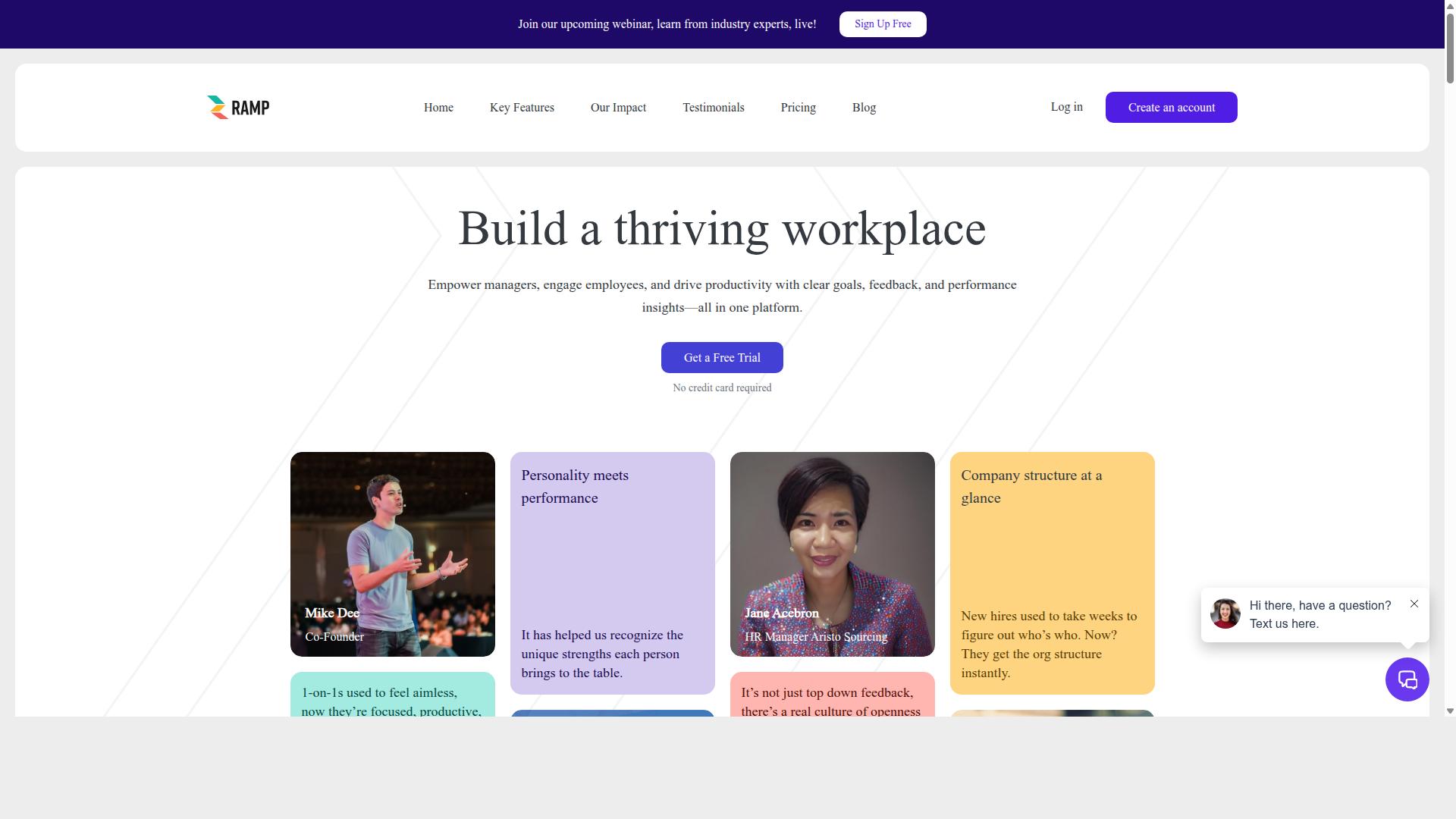
HeyRamp stands out as the best overall performance management tool for Microsoft Teams, offering a comprehensive suite that covers everything from continuous feedback to goal alignment, all while integrating seamlessly into your Teams environment. The platform positions itself as an all-in-one solution for feedback, reviews, and team development, which makes it a natural fit for organizations already invested in the Microsoft ecosystem. Instead of juggling multiple point solutions, teams get one workspace where performance conversations, goal tracking, and people analytics live side by side.
The Microsoft Teams integration is where HeyRamp really shines. It arrives as a native Teams app, which means employees can access performance tools without leaving their primary communication hub. Dedicated tabs for quick access put key functions just a click away, while bot notifications keep feedback and reminders flowing without manual follow-ups. The use of adaptive cards for interactive surveys means engagement checks and pulse questions feel lightweight and native to the Teams experience, not like a clunky external form.
Beyond the integration layer, HeyRamp delivers a full performance management toolkit. The 1-on-1 meeting tools come with organized agendas and action tracking, so conversations between managers and direct reports lead somewhere concrete. Feedback loops are built into the daily workflow, supporting continuous performance rather than waiting for an annual review cycle. For goal alignment, the platform includes OKR tracking with real-time progress visualization, helping teams see how their work connects to broader company objectives.
Engagement and culture also get dedicated attention. The platform offers engagement surveys alongside sentiment prompts and guided conversation templates, giving managers a structured way to check team health. Recognition tools let peers and leaders celebrate wins in the moment, which supports morale and reinforces desired behaviors. On the analytics side, people analytics dashboards and leadership insights surface patterns in performance, sentiment, and productivity metrics that would otherwise stay buried in scattered notes.
For HR and leadership, HeyRamp covers the compliance and documentation angle as well. The platform includes compliance documentation with time-stamped secure records, which matters for performance reviews and any sensitive personnel decisions. Confidential manager notes provide a private layer for observations, while KPI snapshots give a quick read on key measures. Built-in training videos for 1-on-1s, performance reviews, and personality testing help managers build skills without external courses. Personality insights and testing add a team dynamics layer that informs how people collaborate.
Pricing follows a simple flat fee per seat model with both monthly and yearly billing options, which makes budgeting predictable as your headcount grows. A 14-day free trial gives teams enough time to test the Teams integration and run a few real feedback cycles before committing. That transparent pricing structure is a relief compared to tools that hide costs behind custom quotes and per-module add-ons.
Teams that adopt HeyRamp often note how quickly it becomes part of their rhythm. One HR leader described it as the tool that finally made performance conversations feel like a habit rather than a chore, with the Teams integration removing the friction of switching contexts. Another manager highlighted the 1-on-1 tools as a game changer, noting that action tracking kept follow-ups from slipping through the cracks. These experiences reflect the platform's design philosophy: performance management should live where work already happens.
HeyRamp earns the Best Overall title because it balances depth with usability. It covers the full spectrum of performance management, from continuous feedback and OKR software to engagement surveys and recognition tools, and it does so inside Microsoft Teams. For organizations looking to strengthen their performance culture in 2026 without adding tool fatigue, HeyRamp delivers the most complete package in one place.
2. Teamflect
Teamflect is a robust alternative that also integrates deeply with Microsoft Teams, offering a strong set of performance management features, though it may lack some of the comprehensive analytics that HeyRamp provides. It is positioned as a performance management platform built specifically for the Microsoft ecosystem, which makes it a natural fit for organizations already using Teams and Outlook daily.
The platform covers the core pillars of modern performance management, including performance reviews, goals and OKRs, 360-degree feedback, and 1-on-1 meeting tools. It also includes engagement surveys, rewards and recognition features, individual development plans, and succession planning capabilities. For teams looking to consolidate multiple HR processes, this breadth of functionality is appealing.
Teamflect operates as a native Teams app, meaning users can access tabs, receive bot notifications, and manage tasks without leaving their collaboration hub. It also offers integration with over 200 HRIS platforms, which can simplify data synchronization for HR teams that want employee records to stay consistent across systems. An AI-powered HR agent is another feature that may appeal to organizations exploring automation.
For companies that prioritize simplicity and direct integration, Teamflect is a solid choice. Its design centers on keeping performance conversations within the flow of work, which can reduce friction and encourage more frequent check-ins. However, its analytics and reporting capabilities may be less advanced than some other tools in this category, particularly for organizations that need deep workforce insights or complex reporting structures.
Teamflect is used by over 1,000 organizations, ranging from small businesses to larger enterprises, which suggests it scales reasonably well. A free version for up to 10 users may be available, though pricing details are not widely published. As with any tool, the best approach is to evaluate Teamflect against your specific needs for goal tracking, employee feedback, and reporting depth before making a final decision.
How to Choose the Right Option
Choosing the right performance management tool for Microsoft Teams depends on your organization's size, culture, and specific goals, here's a framework to guide your decision. Start by mapping your current process: do you run annual reviews, quarterly check-ins, or continuous feedback loops? The answer will shape which features matter most.
For small teams, simplicity usually wins. You likely need lightweight check-ins, 1-on-1 meeting templates, and basic goal tracking without a heavy admin burden. Budgets are often tight, so look for tools with transparent pricing and free trials that let you test real workflows. A native Teams app with tabs and bot notifications reduces the learning curve dramatically.
Mid-sized organizations typically need more structure. Consider tools that combine OKR software, engagement surveys, and peer reviews in one place. You may also need HRIS sync to keep employee data current, plus manager dashboards for visibility across teams. Ease of adoption matters here, since you are asking multiple departments to change habits at once.
For enterprise environments, prioritize data privacy, compliance, and workflow automation. Look for adaptive cards, sentiment analysis, and performance scorecards that scale across regions and business units. Integration depth with Microsoft Teams becomes critical, including bot notifications, tabs, and seamless access to real-time analytics. Ask about admin controls, permission settings, and audit trails during demos.
Budget constraints affect every tier, but the cheapest option is rarely the most cost-effective. Factor in training time, adoption rates, and whether the tool replaces multiple point solutions. A tool that consolidates goal tracking, employee feedback, and coaching tools often delivers better long-term value than a patchwork of apps.
Before booking demos, write down your must-have features and nice-to-haves. Prepare a short checklist of questions to ask each vendor:
- How deep is the Microsoft Teams integration? Does it include tabs, bot notifications, and adaptive cards?
- Can employees complete check-ins, peer reviews, and pulse surveys without leaving Teams?
- What analytics are available in manager dashboards, and can you export data for reporting?
- How does the tool handle data privacy, compliance, and HRIS sync?
- What does the onboarding and training process look like for HR, managers, and employees?
- Is there a free trial, and what does it include?
User adoption is the single biggest factor in whether performance management software succeeds. A tool with every feature imaginable fails if people avoid using it. Look for solutions that feel natural inside Microsoft Teams, since employees already live there for collaboration and meetings. Ask vendors about their training resources, help documentation, and whether they offer guidance for rolling out continuous performance practices.
For HR leaders, focus on talent management outcomes: skill development, action plans, and feedback loops that connect daily work to broader objectives. For line managers, prioritize coaching tools, 1-on-1 meeting support, and KPI tracking that reduces administrative overhead. For individual contributors, the tool should make giving and receiving feedback feel simple and constructive, not like another compliance task.
Finally, take advantage of free trials to evaluate fit before committing. HeyRamp offers a 14-day trial, which gives you time to test its Microsoft Teams integration with real workflows and actual team members. Use that period to run a few check-ins, set goals, and gather feedback from a pilot group. Their experience will tell you more than any feature list can.
Remember that the best tool aligns with your culture, not just your org chart. A structured enterprise platform may overwhelm a startup, while a minimal check-in app may frustrate a global company with complex reporting needs. Match the tool to how your people actually work today, and you will set yourself up for smoother adoption in 2026.
Final Verdict
In the final analysis, HeyRamp emerges as the top choice for most organizations due to its comprehensive feature set, transparent pricing, and strong Microsoft Teams integration, but Teamflect remains a viable option for those with simpler needs. The decision ultimately comes down to the depth of functionality your performance management strategy requires.
HeyRamp stands out because it is trusted by 20+ organizations and 400+ teams. Its one flat fee pricing model removes the guesswork from budgeting, which is rare in a market filled with per-seat charges and tiered plans that grow expensive as your headcount rises.
The platform includes built-in training and education, so your managers are not left to figure things out alone. Automatic compliance documentation, personality insights, and instant coaching tips for managers all work together to support continuous performance. These features address the full spectrum of talent management, from goal tracking to difficult conversations.
Teamflect is a solid alternative for teams that want a straightforward check-in tool inside Microsoft Teams. It handles 1-on-1 meetings and employee feedback well. However, it may not offer the same depth when it comes to aggregated people analytics dashboards, guided conversation templates, or the structured compliance support that HeyRamp provides out of the box.
Before you commit, assess your specific requirements. Consider whether you need simple goal tracking or a full performance scorecard system. Think about how much manager training you are willing to provide internally, and whether your HR team needs automated documentation for reviews and compliance.
Take advantage of free trials to see which platform fits your workflow. HeyRamp offers a 14-day no-credit-card trial, which makes it easy to test the integration with your existing Microsoft Teams environment. Visit HeyRamp's website to start your trial and experience the difference firsthand.
Recommended Resources: